How to Track Your Lost iPhone Using Find My
1 min read
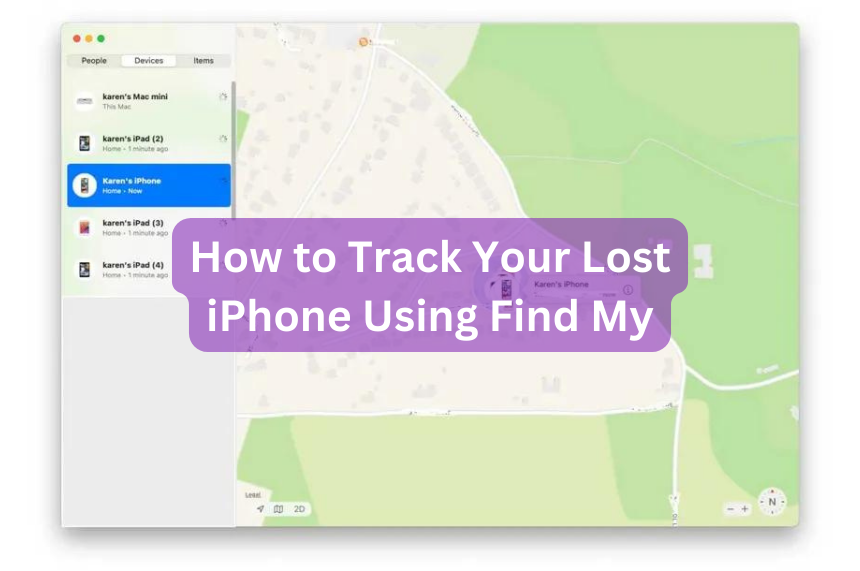
If you're prone to misplacing your iPhone, the Find My app (formerly Find My iPhone) offers a reliable solution. This app also helps locate AirPods. On Apple devices like iPad, Mac, or a family member’s iPhone, simply open the Find My app, navigate to Devices, and locate your iPhone on the list. Tapping on it reveals its location on a map and allows you to trigger a sound to locate it more easily.
To ensure your device appears on a family member’s Find My app, either join a Family Sharing group or share your location with them. For seamless tracking across Apple devices, use the same Apple ID.
If you lack an Apple device, access iCloud.com/find on any browser, sign in with your Apple ID, and follow the same steps to track your iPhone's location.
However, if your iPhone is turned off or in a dead zone, its location may not be visible in real-time. Find My displays its last known location before shutdown and eventually replaces it with "No location found" if this status persists for seven days. If it shows "Not sharing location • Online," your phone may be unable to receive location services.