PlayStation Black Friday 2026 starts early: dates, featured games and how to compare the deals
5 min read
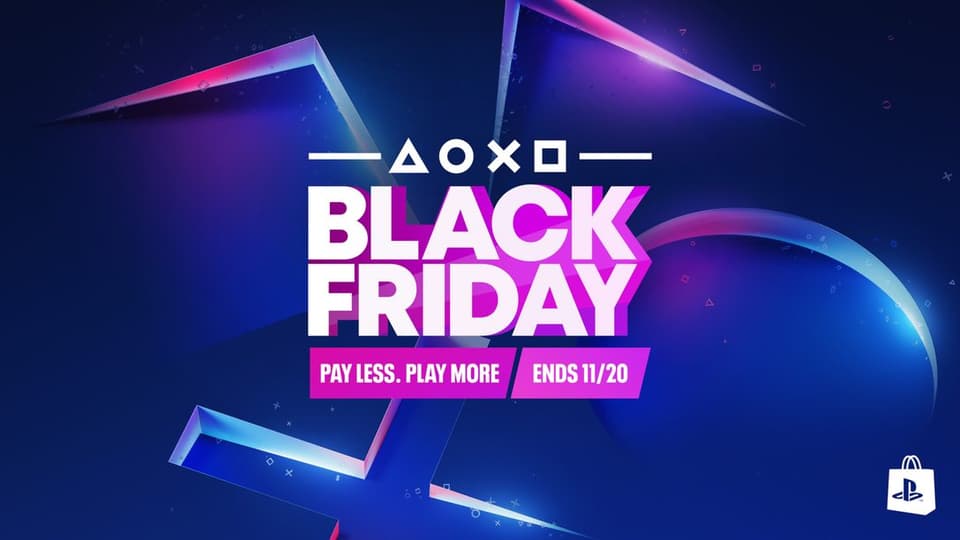
Image: Sony Interactive Entertainment / PlayStation Blog
PlayStation’s Black Friday promotion starts unusually early this year. Sony announced a November 4 opening for the PlayStation Store sale, with the promotion running through November 30, 2026. The advertised maximum discount is 75 percent across a selection of games, expansions and downloadable content.
That makes this a useful moment to review a wishlist, especially if you already know what you want to play during the holiday period. The headline percentage is only the beginning of the comparison, though. The relevant price is the one attached to the exact edition in your own store region.
What Sony has announced
Sony’s November 3 preview covers PS5, PS4 and PS VR2 software. Named examples include Astro Bot, Death Stranding 2: On the Beach, God of War Ragnarök, Marvel’s Wolverine Digital Deluxe Edition, Nioh 3 Digital Deluxe Edition, Balatro and Assassin’s Creed Shadows Digital Deluxe Edition.
The announcement directs players to the store for the complete selection and regional discounts. It does not attach the maximum 75-percent reduction to every game on the list. Individual offers, editions and availability need to be checked on their own product pages.
These are digital-store offers. The announcement should not be read as a universal discount on consoles, accessories or physical copies at every retailer. If a different shop advertises another promotion, compare that offer on its own terms.
Start with the edition, then look at the percentage
A sale can list the standard game, a deluxe bundle and an expansion close together. Their names may be similar enough that a quick glance misses the difference. Open the product page and read what the purchase includes before comparing the final prices.
For a new player, the important question is whether the item contains the base game. An attractive expansion price is not useful on its own if the required game is missing. For an existing owner, the question may be the reverse: does the bundle include content you already bought?
Compare the cheapest route to the things you actually want. A deluxe edition can be good value when you intend to use its extras, but a larger discount does not automatically make it the better purchase. Unwanted additions still take up part of the price even when they appear in a bundle.
For example, imagine a standard edition at 40 units of your store currency and a deluxe edition at 55. The practical question is whether the added content is worth 15 to you. The original list prices and percentage labels are secondary to that decision. These numbers are an illustration, not a quoted PlayStation offer.
Check what is already in your library
Before buying, search your own collection and subscription entitlements. A game may already be available through a previous purchase, an earlier bundle or a service you currently pay for. Identifying that overlap can prevent a sale from becoming a duplicate purchase.
Subscription access and ownership can still have different value to you. Someone who expects to replay a game after their membership ends may prefer to buy it. Someone who only wants a short first playthrough may be satisfied with access they already have. Make that decision deliberately.
If you own a disc version, think about why you want a digital copy. Convenience can be a valid reason, but it is a separate benefit from getting new content. A discounted listing should not make you forget that you already have a way to play the game.
Also check which console version the purchase includes. A familiar title on a sale page does not answer every question about upgrades, bundles or the version that will appear in your library. The product description is more useful than assuming the answer from the artwork.
A practical approach for Nigerian buyers
Use the currency and region attached to your actual PlayStation Store account. The final cost of a purchase can differ from a simple online currency conversion because the payment route, provider and applicable charges may differ. Compare the total you will pay rather than relying only on a headline foreign price.
If you use wallet credit, include the cost of obtaining that credit in the comparison. Two apparently similar store prices can produce different totals depending on how the wallet is funded. Work out the full amount before deciding that one route is cheaper.
Set a spending limit before browsing the complete catalog. A long sale can make a series of small purchases feel unrelated even when their total becomes substantial. Keeping a running list of intended purchases makes the combined cost visible.
Bandwidth and storage belong in the plan too. A game you buy now may require a large download later. If your connection is metered, leave room in the budget and schedule for getting the software onto the console, rather than judging the purchase only by the checkout amount.
Choose by the time you have available
A wishlist often contains several kinds of games: something for a weekend, something for regular online sessions and something that could occupy months. Pick according to the time you expect to have, not simply the largest reduction.
For a multiplayer purchase, ask the people you want to play with whether they are joining. A discount is less useful if the group has already moved to another game. Confirm the relevant version and compatibility before everyone commits to different purchases.
For a long single-player game, consider whether you want to begin it soon or are buying mainly because it looks inexpensive. There is nothing wrong with building a library, but recognising the difference helps keep a backlog from becoming a collection of obligations.
You can also prioritise one purchase and leave the rest on the wishlist. The announced sale window gives you time to make a comparison. There is no need to turn the first day into a deadline that Sony has not imposed.
Read the offer’s own end time
The overall promotion runs through November 30, but a product page remains the best place to check the terms attached to a particular offer. Note the displayed end time, included content and any account requirements rather than relying on a screenshot shared without context.
When comparing screenshots from different regions, check the currency, date and edition. A lower number is not meaningful if it refers to another currency or a different package. Those basic details explain many apparent contradictions between sale posts.
If the price shown at checkout differs from the one you expected, stop and inspect the selection. It is better to resolve a mismatch before completing the transaction than to assume the advertised figure will somehow be applied afterwards.
The useful takeaway from the early start
This year’s PlayStation promotion provides a broad window for comparing digital purchases. The range of named titles makes it worth checking, but the best deal is the one that matches your console, your existing library and something you actually want to play.
Start with a shortlist, confirm each edition and compare the full cost in your own region. That turns a large promotional catalog into a few clear decisions and makes the discount serve your gaming plans rather than create new ones for you.
Sources: Sony’s Black Friday announcement · Official regional sale listings